

Test templates
A test template is the entire collection of tests written for the Test Composer in a given environment. When you kick off a test, that test will run a single test template. Antithesis uses an opinionated framework for creating test templates, in the form of a set of naming conventions that enable Antithesis to detect and run your tests. A test template consists of one or more test directories, each containing one or more test commands.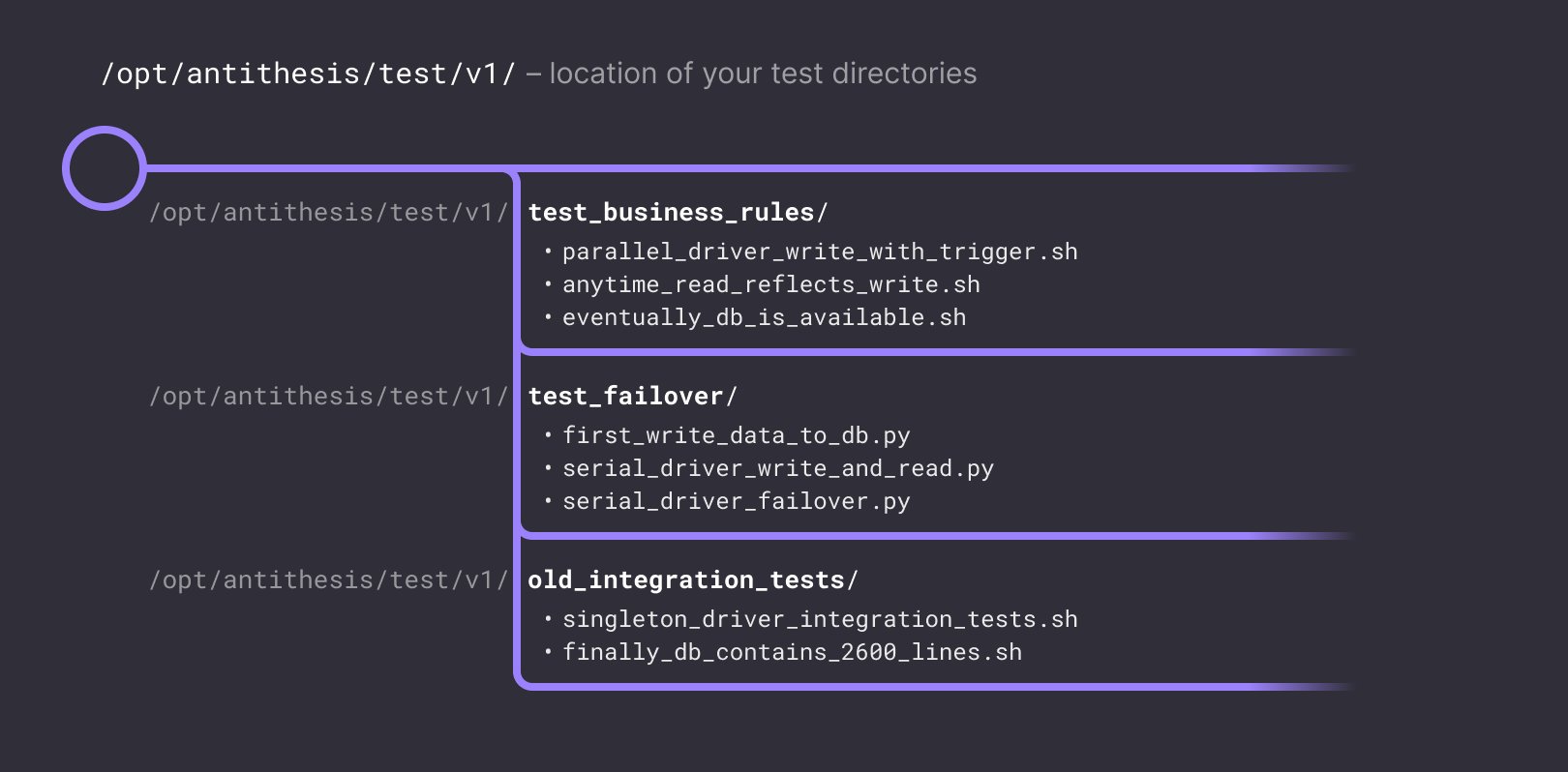
Structure of a test template
Test directories
/opt/antithesis/test/v1 in any of your containers, containing one or more test commands that are compatible with one another.
Each execution history in Antithesis uses test commands from one, and only one, test directory.
If test directories with the same name appear in multiple containers, they will be treated as belonging to the same test, even if they define different test commands.
We strongly suggest putting test directories in a standalone container, to simulate a client — your “client container”. If you do this, the client container must be kept running, for instance by using sleep infinity. Do not use a test command as the entry point for the client container.
Test commands will run inside the container where they’re defined.
Test commands
ln /path/to/existingscript /opt/antithesis/test/v1/<test_name>/<prefix>_<command>
Test commands can be binaries or scripts and must have an appropriate shebang in the first line, e.g. #!/usr/bin/env bash.
It may have any or no extension, but must be marked executable by the container’s default user. It will typically call the APIs of the software under test in order to change the state of the system, check properties, or both.
<prefix> specifies the type of test command. See Test Composer commands for the full list of options.
<command> can be any valid unix filename.
Starting your tests
Before running any tests, Antithesis initializes your software and its dependencies. Getting started describes this process in detail. Once your system is up and running, it should emit aSetupComplete message using our SDKs. This message tells Antithesis to start the Test Composer and begin injecting faults.
The SetupComplete message should therefore not be part of a test command, though it’s fine for it to exist in the same container, for example, as part of the container’s entry point.
Adapting existing tests
If you want to use an existing test or workload in Antithesis, whether it’s an existing integration test or an advanced, well-developed distributed systems workload, you can run it in the Test Composer simply by making it asingleton_driver test command in a test directory as described above. If you run into any problems with this approach, please get in touch on Discord.